
Table of Contents
Cricket is more than a sport in India — it is a religion. Whether you are organising a district tournament, a corporate cricket league, an inter-school competition, or even a local gully cricket match, live streaming your event can attract thousands of viewers and create a lasting digital record of every moment.
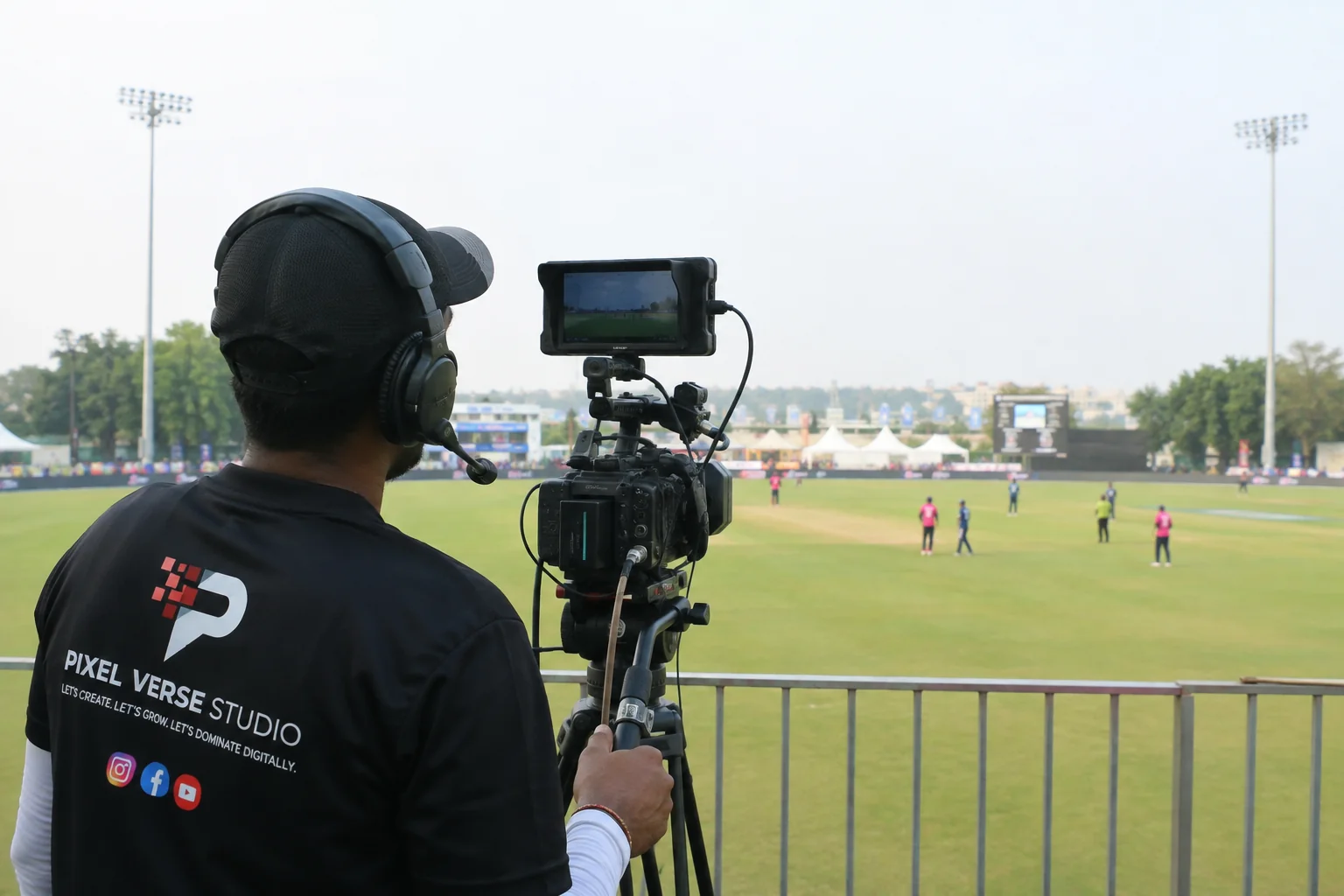
In this guide, we cover everything you need to know to live stream a cricket match in India — from the equipment you need to the platforms you should use. Whether you are doing it yourself or hiring a professional agency like Pixel Verse Studio, this guide will give you complete clarity.
Quick Answer: To live stream cricket in India, you need at least 2 cameras, a hardware encoder or a laptop with OBS Studio, a minimum 10 Mbps upload internet connection, and a YouTube or Facebook account. A basic setup costs ₹8,000–₹20,000 per day if hired professionally.
1. Equipment You Need for Cricket Live Streaming
The quality of your cricket live stream depends entirely on your equipment. Here is what you need at different budget levels:
Budget Setup (₹8,000–₹15,000/day)
- 2 cameras — Sony FDR-AX43 or Canon XA series (affordable, good quality)
- Tripods — sturdy fluid-head tripods for smooth panning
- Laptop with OBS Studio (free software)
- HDMI capture card — Elgato Cam Link or AVerMedia
- USB microphone or wireless mic for commentary
- 4G mobile hotspot as backup internet
Professional Setup (₹25,000–₹60,000/day)
- 5–8 cameras — Sony PXW-Z90, Blackmagic Pocket Cinema for boundary shots
- Hardware video switcher — ATEM Mini Pro for live camera switching
- Hardware encoder — Teradek Vidiu or Maevex encoder for reliable streaming
- Professional wireless microphone system — Sennheiser or Rode
- Dedicated fibre internet with 4G backup
- Graphics laptop for scoreboard overlay
Pro Tip: Never rely on a single internet connection for a live cricket stream. Always have a 4G/5G backup. Signal failure mid-match is the number one complaint at amateur broadcasts.
2. Internet Speed Requirements for Cricket Streaming
Your internet connection is the most critical element of any live stream. A beautiful camera setup is worthless if your internet drops during a crucial over.
| Stream Quality | Bitrate Required | Upload Speed Needed |
|---|---|---|
| 720p HD (Standard) | 3–5 Mbps | Minimum 8 Mbps |
| 1080p Full HD | 6–8 Mbps | Minimum 12 Mbps |
| 1080p + Scoreboard Overlay | 8–10 Mbps | Minimum 15 Mbps |
| Multi-camera + 4K | 15–25 Mbps | Minimum 30 Mbps |
| Simulcast (3 platforms) | 20–30 Mbps | Minimum 40 Mbps |
For cricket grounds in India where wired internet is unavailable, use a bonded 4G/5G connection — this combines multiple SIM cards into one stable pipe. Professional agencies like Pixel Verse Studio use Peplink bonded routers that combine 4–6 SIM cards for a reliable 30–50 Mbps upload connection anywhere in India.
3. Camera Positions for Cricket Live Streaming
Camera placement makes or breaks a cricket broadcast. Here are the standard positions used in professional cricket streaming:
Bowler End (End-on View)
The most important camera. Positioned behind the bowler's end, elevated at 5–8 feet, showing both the bowler's run-up and the batsman. This should be your main cut-in camera.
Square Leg / Mid-On Position
Shows the batsman's full body position, footwork, and shot direction. Essential for replays and player analysis segments.
Long-On or Long-Off Boundary
Captures big hits, boundary catches, and fielder movements. Can be operated remotely or by a dedicated camera operator.
Handheld / Shoulder Rig
Follows the action — celebrates wickets, captures player interviews, dressing room moments, and crowd reactions. Adds a broadcast-quality dynamic feel.
4. Streaming Software Setup — OBS Studio Guide
OBS Studio is the most widely used free software for cricket live streaming in India. Here is a quick setup guide:
- Download OBS Studio from obsproject.com (free, no subscription)
- Connect your cameras via capture cards or USB
- Add each camera as a Video Capture Device source in OBS
- Create a Scene for each camera angle — switch between scenes during the match
- Go to Settings → Stream → Select YouTube or Facebook as your platform
- Paste your Stream Key from YouTube Studio or Facebook Live dashboard
- Set Output bitrate to match your internet speed (typically 5,000–8,000 kbps for 1080p)
- Click Start Streaming — you are live
5. Adding a Live Scoreboard Overlay
A live scoreboard overlay is what separates a professional cricket broadcast from a basic phone recording. Viewers expect to see runs, wickets, overs, and batsman names on screen at all times.
Options for scoreboard overlays in India:
- CricHeroes App — free scoreboard with OBS overlay plugin
- Scoreboard Pro — affordable scoreboard software with customisable graphics
- Custom Graphics — Pixel Verse Studio builds custom TV-style scoreboards for professional events
- Browser Source in OBS — link a live scoreboard URL directly into your stream graphics layer
6. Choosing the Right Platform for Cricket Streaming
| Platform | Best For | Monetisation | Storage |
|---|---|---|---|
| YouTube Live | Large audiences, SEO discoverability | Yes (ads) | Permanent |
| Facebook Live | Community groups, local tournaments | Limited | 30 days |
| Instagram Live | Short matches, highlights | No | 24 hours |
| Custom Website | Paid events, premium experience | Full control | Permanent |
| Simulcast (All) | Maximum reach | Yes | YouTube VOD |
Recommendation: For Indian cricket tournaments, always stream on YouTube as the primary platform. It is the most widely used video platform in India, offers free live streaming, and the recording stays permanently as a VOD for viewers who missed the live match.
7. Going Live — Step-by-Step Day-of Checklist
- Arrive at venue 2–3 hours before match start
- Set up and test all cameras and cables
- Test internet speed — confirm upload is stable
- Configure OBS or hardware encoder
- Do a private test stream for 10 minutes
- Enable scoreboard overlay and test score updates
- Brief your commentary team on audio levels
- Go public/live on your platform 10 minutes before match
- Pin the stream link in WhatsApp groups and social media
- Monitor stream health dashboard throughout the match
Not confident doing it yourself? Pixel Verse Studio provides end-to-end cricket live streaming across India. We handle everything — equipment, setup, production, and post-event recording. See our cricket streaming packages →
Frequently Asked Questions
A basic 2-camera setup costs ₹8,000–₹15,000 per day if hired professionally. Professional 5–8 camera productions with scoreboard overlay and commentary range from ₹25,000–₹80,000 per day. Premium tournament productions with drone and full OB van start from ₹1,00,000 per day.
Yes. YouTube Live is free for any verified account. You need a YouTube channel with at least 1,000 subscribers to go live on mobile; desktop live streaming is available to all accounts. There is no charge for live streaming on YouTube.
For 1080p HD streaming, you need a minimum of 10–12 Mbps stable upload speed. For multi-camera or simulcast to multiple platforms, 25–40 Mbps is recommended. Always have a 4G/5G backup connection.
Minimum 2 cameras for a basic match. Professional broadcasts use 4–8 cameras. Large tournaments use 10–12 cameras plus drone footage. More cameras mean better coverage of boundaries, catches, run-outs, and replays.